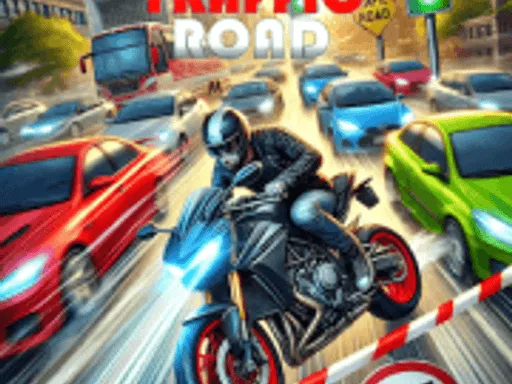
Traffic Road
Rating:
4.71
Played:
309,632
What Is Traffic Road?
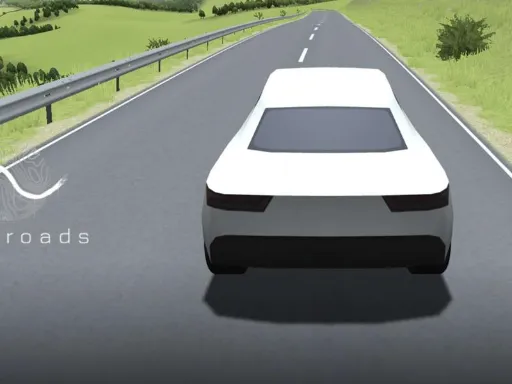
Traffic Road is a fast, first-person traffic racing game built around one simple idea: ride hard, stay calm, and thread the needle between cars that never stop coming. You control a motorcycle (or a similar two-wheel ride in some builds) and push for distance, speed, and clean passes. The highway is busy, the gaps are small, and one bad touch ends the run.
What makes Traffic Road stick is the mix of risk and rhythm. At low speed it feels friendly, but once you chase a higher score, it turns into a real reflex test. You’re reading brake lights, predicting lane changes, and deciding whether to slip through a tiny opening or back off and live to pass again.
Why Players Keep Coming Back
This game delivers that “one more run” feeling because it rewards skill quickly. Clean overtakes, steady control, and smart braking usually matter more than luck. If you enjoy arcade racing, endless driving, or lane-weaving challenges, Traffic Road fits perfectly.
Play Traffic Road in Your Browser
A big reason Traffic Road is popular is how easy it is to start. You can play in a web browser, which means no large download and no long setup. Open the page, press play, and you’re on the highway in seconds.
On https://trafficroad.net you can launch Traffic Road during a short break or settle in for longer sessions. Browser play also works well on shared devices where you don’t want to install extra apps.
Tips for Smooth Browser Gameplay
To get the best experience with Traffic Road:
- Use an updated browser (Chrome, Edge, or Firefox).
- Close heavy tabs if performance drops.
- Turn on fullscreen so you can spot gaps earlier.
- If audio stutters, lower background apps and try again.
How to Control Traffic Road
The controls are designed to be simple. Most players learn the basics in a minute, but mastering Traffic Road takes practice because traffic tightens and punishes sloppy moves.
Keyboard Controls (PC)
In most browser versions, you’ll see familiar movement keys:
- W / Up Arrow: accelerate
- S / Down Arrow: brake or slow down
- A / Left Arrow: move left
- D / Right Arrow: move right
Some builds add extra options (like a camera change), but the core loop stays the same: steer cleanly, manage speed, and avoid contact.
Mobile and Touch Controls
If you play Traffic Road on a phone or tablet, you may get on-screen buttons for left, right, and speed. Touch feels different than a keyboard, so give yourself a few runs to adjust. Many high-score players use quick taps instead of long presses, which keeps the bike stable in tight gaps.
Handling Tips That Raise Your Score
- Don’t over-steer. Tiny lane shifts are safer than sharp swerves.
- Brake early, not late. A small speed drop before a gap beats panic braking inside it.
- Hold the center when unsure. It keeps your options open.
- Chase speed only when the road is readable. Risk is fine—blind risk is not.
Where Traffic Road Comes From
Traffic Road belongs to a well-known arcade style often described as “traffic racer” or “endless highway” gameplay. The formula has lasted for years because it’s instantly fun: a straight road, dense traffic, and a score that climbs when you take controlled risks.
The Tradition Behind the Game
The design is inspired by classic lane-weaving racers where close passes and steady speed are the path to big numbers. Many modern releases of Traffic Road are packaged as lightweight HTML5 or WebGL builds so they can run directly in a browser. That browser-first design is why the game spreads quickly and is easy to replay.
Why You Might See Different Builds
Because it’s distributed online, you may notice small differences between versions—such as sensitivity, camera angle, or difficulty tuning. The identity stays consistent: in Traffic Road you ride in first person, dodge traffic, and try to beat your personal best.
If you want a clean, focused place to play, https://trafficroad.net is built around Traffic Road so you can start quickly and get right back into the action.
Common Questions About Traffic Road
Is Traffic Road free to play?
Yes. Traffic Road is meant to be a pick-up-and-play browser experience, so you can jump into a session without paying. On https://trafficroad.net, you can start playing right away.
Do I need to download anything?
No. For browser play, Traffic Road runs online, so there’s nothing to install. That instant access is part of the appeal.
Can I play on mobile?
Often, yes. Many builds of Traffic Road run on mobile browsers and show touch controls. If your device is older, performance can improve by closing other apps and lowering background activity.
Why does it get so hard after a few minutes?
The difficulty scales on purpose. As your run continues, traffic gets denser and your speed rises, leaving fewer safe gaps. In Traffic Road, staying calm when the highway looks impossible is the real challenge.
What’s the fastest way to improve?
Focus on consistency. A smooth run with fewer risky moves usually beats wild swerving. Practice early braking, learn common car spacing, and choose lanes that give you an escape route. Over time, Traffic Road starts to feel slower, and your score rises naturally.
Is it okay for kids?
Traffic Road is an arcade racing game with crashes, but it isn’t graphic. Still, parents should decide what fits. The core content is speed, reflex play, and the challenge of avoiding collisions.
Why Play Traffic Road on trafficroad.net?
Plenty of sites claim to host this game, but playing on a dedicated home makes things simpler. At https://trafficroad.net, the focus is Traffic Road: quick access, smooth browser play, and an easy way to return for “just one more run.”
If you want a browser racer that is easy to learn, tough to master, and perfect for quick breaks, Traffic Road is a strong choice. Load it up, pick a lane, and see how long you can stay in control when the highway turns chaotic.

Comments
Loading comments…